5 TV Mounting Mistakes That Are More Common Than You Think
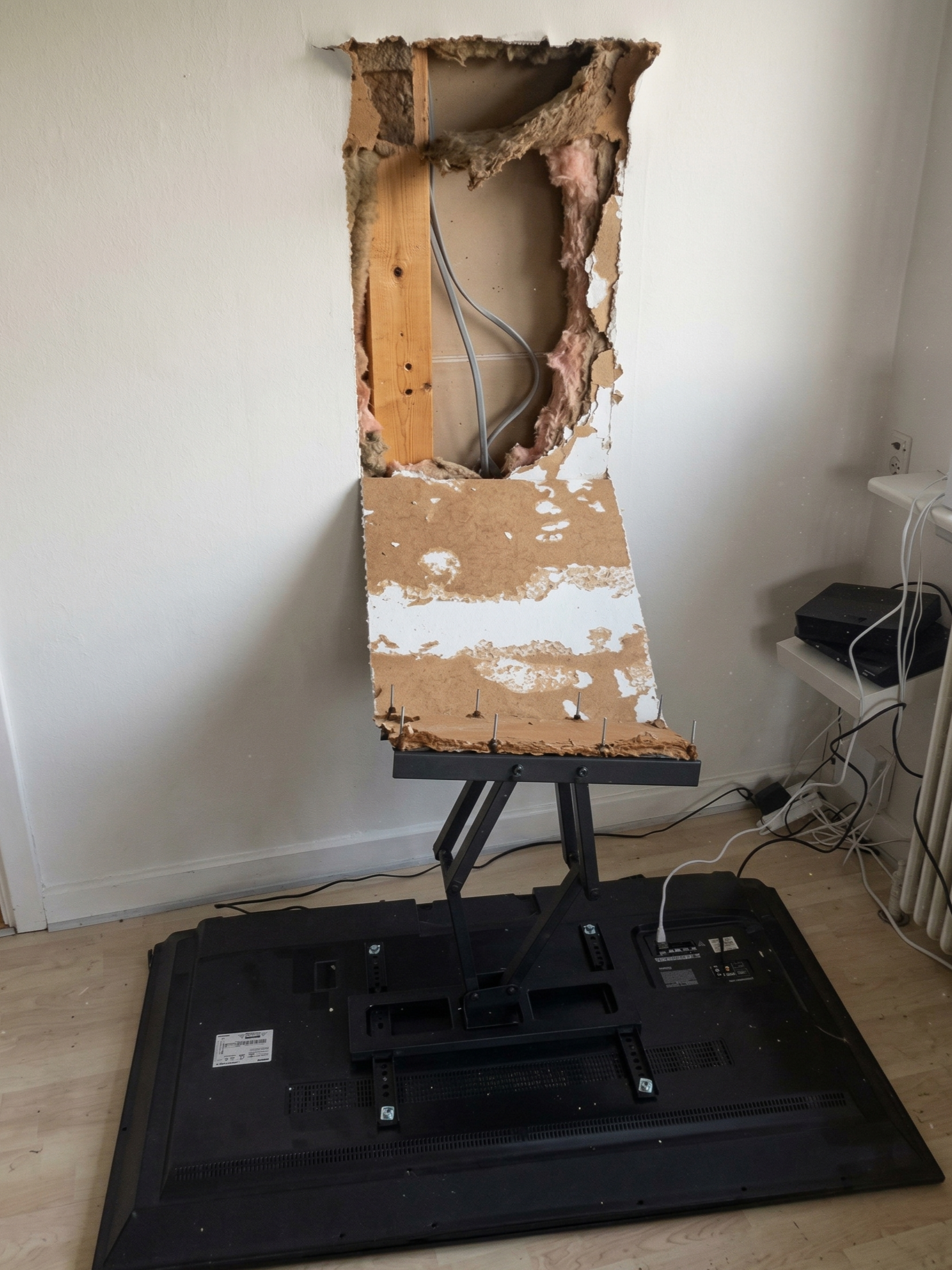
Mounting into drywall without finding studs
This is the big one. A 65" TV can weigh 80 lbs or more. Drywall anchors are not designed to hold that kind of weight over time — especially when you factor in vibration, cable tension, and the occasional bump. We see mounts that have slowly pulled out of walls over months, leaving behind cracked drywall and, in some cases, a damaged TV on the floor.
The fix: Always mount into studs. If your stud layout doesn't match your mount's bolt pattern, a proper mounting plate or horizontal backer board installed between studs solves it cleanly.Mounting too high on the wall
People instinctively mount TVs at eye level when standing — but you watch TV sitting down. Mounting too high forces you to crane your neck upward for hours, which causes neck and shoulder strain. It also looks awkward. This mistake is extremely common above fireplaces, where heat and viewing angle combine to create a genuinely bad experience.
The fix: The center of your screen should sit at roughly seated eye level — typically 42" to 48" from the floor for most rooms. We measure and account for furniture height before we ever drill.Skipping cable management
A beautifully mounted TV with a bundle of cables hanging down the wall is one of the most common things we're called in to fix after a DIY job. Beyond the aesthetics, exposed cables are a tripping hazard, make future changes difficult, and can create interference issues with audio and picture quality.
The fix: In-wall cable management with a low-voltage bracket is the cleanest approach and adds serious value to your space. We handle this on every install — it's not an add-on, it's just how it should be done.Using the wrong mount for the job
Not all mounts are created equal, and the cheapest one on Amazon may not be rated for your TV's size and weight. Beyond load ratings, the wrong mount type — fixed, tilting, or full-motion — can undermine the whole install. A full-motion arm on a TV that's never going to move adds unnecessary weight stress to the wall. A fixed mount on a TV in a corner you need to angle leaves you with a poor picture.
The fix: Match the mount to the room, the wall type, and how the TV will actually be used. We carry professional-grade hardware rated for the specific application.Not planning for the components
The TV goes on the wall — great. But where does the cable box, streaming stick, soundbar, or gaming console live? This is an afterthought on most DIY installs and turns into a problem fast. Components crammed into a cabinet with no ventilation overheat. Remotes that can't reach sensors stop working. Cables that are three feet too short get stretched across the room.
The fix: Plan your full AV ecosystem before mounting anything. We help you think through component placement, ventilation, IR blasters for hidden gear, and the right cable lengths before a single hole gets drilled.The Bottom Line
TV mounting looks simple. In a lot of cases it goes fine. But when it goes wrong, it goes wrong in ways that are expensive and frustrating to undo — patching walls, replacing hardware, or worse, replacing the TV itself. Getting it done right the first time costs less than fixing a DIY job that went sideways.
TV Install Pros serves Reading, Woburn, Lexington, Winchester, and communities across Greater Boston. We bring the right tools, the right hardware, and the experience to get your setup looking and performing exactly the way it should.
Ready to get your TV mounted the right way? We'll handle everything — mount, cables, components, and cleanup.
Book Your Install