Everything You Wanted to Know About the Samsung Frame - How to Install
The Samsung Frame TV is one of the most exciting things to happen to living room design in years. When it's on, it's a beautiful 4K display. When it's off, it disappears into the room — showing artwork, family photos, or simply blending into the wall like a picture frame. We've installed well over 50 of these, and they never get old. But there's more nuance to a proper Frame install than a standard TV, and this post covers everything you need to know — whether you're hiring us or going the DIY route.
What Makes the Frame TV Different
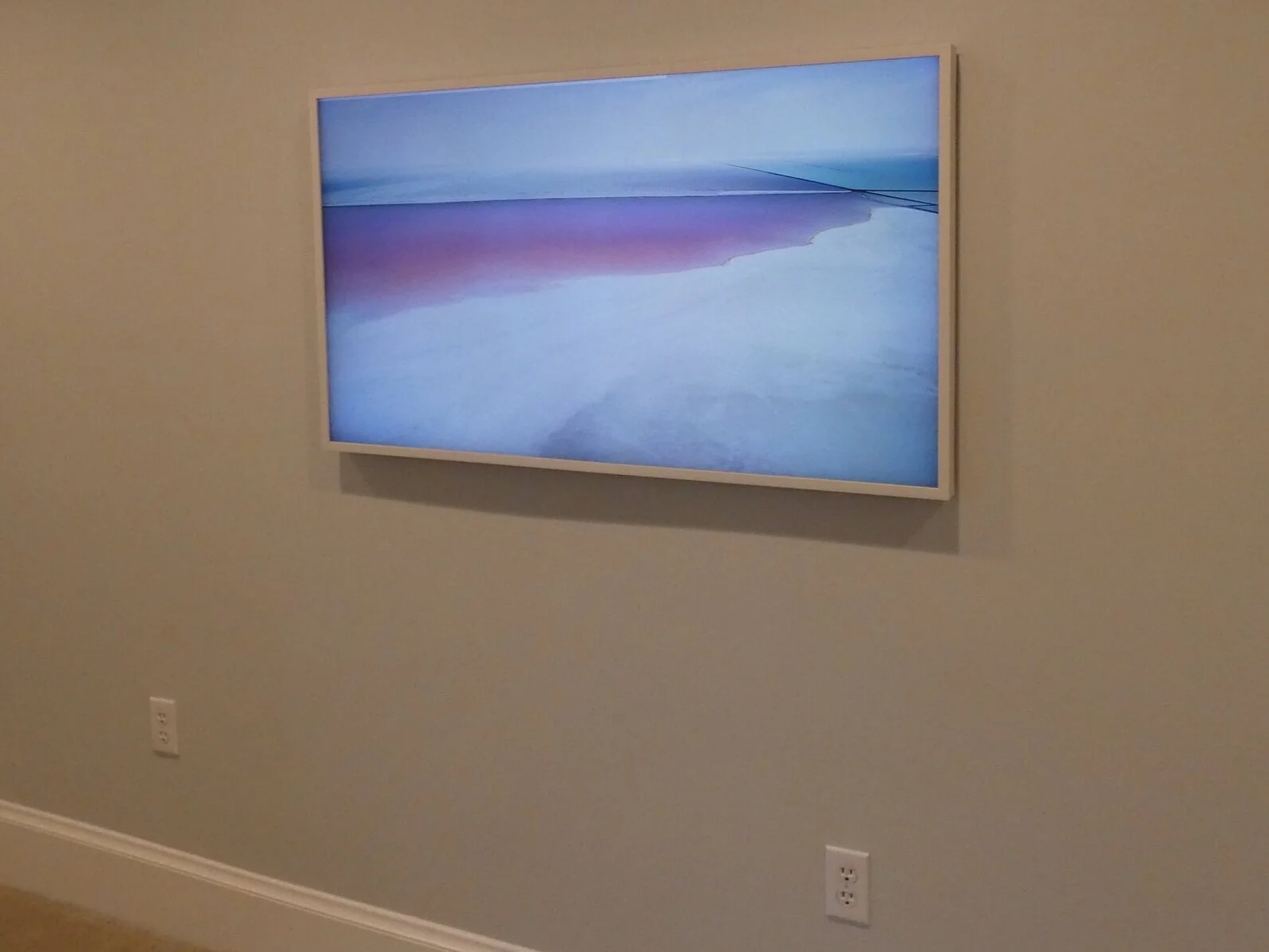
One of our Frame TV installations — it genuinely looks like a picture frame on the wall.
The Frame is designed to sit flush against the wall with virtually zero gap, giving it that gallery-quality look. To make that possible, Samsung moved all the inputs, HDMI ports, power connection, and "brains" off the back of the display and into a separate unit called the OneConnect Box — roughly the size of a small cable box. This box connects to the TV via a single slim cable that carries both data and power to the screen.
It's an elegant engineering solution — but it's also the thing that requires the most planning during installation. Where does the OneConnect box go? How do you hide the cable? That's exactly what we're covering here.
Frame vs. Frame Pro: Which Screen is Right for You?
Before we get into installation, let's talk about what's actually inside these TVs — because the 2025/2026 Frame lineup has more options than ever, and the differences matter.
| Model | Panel Type | Wireless OneConnect | Best For |
|---|---|---|---|
| The Frame (standard) | QLED (4K) | ✗ Wired cable | Most installs — great picture, more install flexibility needed |
| The Frame Pro | OLED or QLED (4K) | ✓ Wireless | Simpler DIY installs, existing outlet behind TV |
The standard Frame uses Samsung's QLED panel — excellent brightness, vivid color, and beautiful in most room lighting conditions. The Frame Pro steps things up with an option for an OLED panel, which delivers deeper blacks, infinite contrast, and a more cinematic picture quality that's especially noticeable in darker rooms. OLED is widely considered the gold standard for image quality right now, and the Frame Pro is the first Frame TV to offer it.
The other big difference: the Frame Pro has a wireless OneConnect Box. This is a game-changer for installations where running cable is complicated. More on that below.
The Big Question: What Do You Do With the OneConnect Box?
This is the #1 installation question we get on Frame TVs, and there are a few solid approaches. Here's how we think about it.
Recess the OneConnect Box In-Wall (Our Preferred Method)
This is our go-to approach for the cleanest possible install. We cut a recessed box into the drywall directly behind the TV — large enough to house the OneConnect box — and install a new power outlet inside it. The OneConnect box sits hidden in the wall, everything is completely out of sight, and the TV looks exactly like it belongs there.
As professional integrators, we use a product called the Versabox for this. It's purpose-built for this type of install — the dimensions fit an electrical outlet and the Samsung OneConnect box perfectly, and we've used it on dozens of installations. If you're in our service area, this is what we'll bring.
One important caveat: if you plan to connect a cable box or other heat-generating component, you cannot store it inside a sealed in-wall enclosure — heat has nowhere to escape and it will eventually cause equipment to malfunction or fail. For cable boxes and streaming components, you'll need to run an HDMI to a separate, ventilated cabinet or media center.
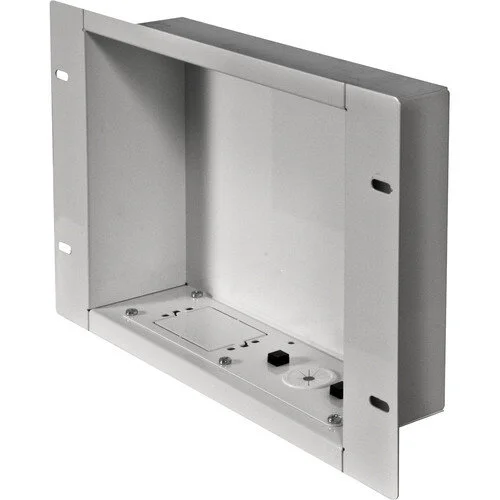
Recessed In-Wall Media Box (Versabox-style)
Designed to house the Samsung OneConnect box and a power outlet behind your TV • Creates a completely clean, flush install • What we use on our professional installs
View on AmazonRun the OneConnect Cable In-Wall (With Important Caveats)
Another option is to snake the OneConnect cable inside the wall and locate the box somewhere else — a nearby cabinet, media closet, or AV rack. The cable is slim and relatively easy to fish through walls, which makes this approach appealing.
However, there's something you absolutely need to know: the Samsung OneConnect cable is not technically rated for in-wall use. Building and fire codes in most municipalities require in-wall cabling to carry a specific safety rating (typically CL2 or CL3). Always check your local codes before running any cable inside a wall. Don't assume — verify.
One compliant workaround is to install in-wall rated conduit and run the OneConnect cable inside it. The conduit itself carries the fire rating, which can satisfy code requirements in many areas (though again — check with your local building department). If you go this route, make sure the conduit is at least 1.5" in diameter — the head of the OneConnect cable is wider than you'd expect and won't fit through anything smaller.
Always Check Local Building & Fire Codes Running non-rated cable inside walls without proper conduit may violate local building codes and create a fire hazard. This varies by municipality. When in doubt, consult a licensed electrician or your local building department before proceeding. We always follow code on every installation.
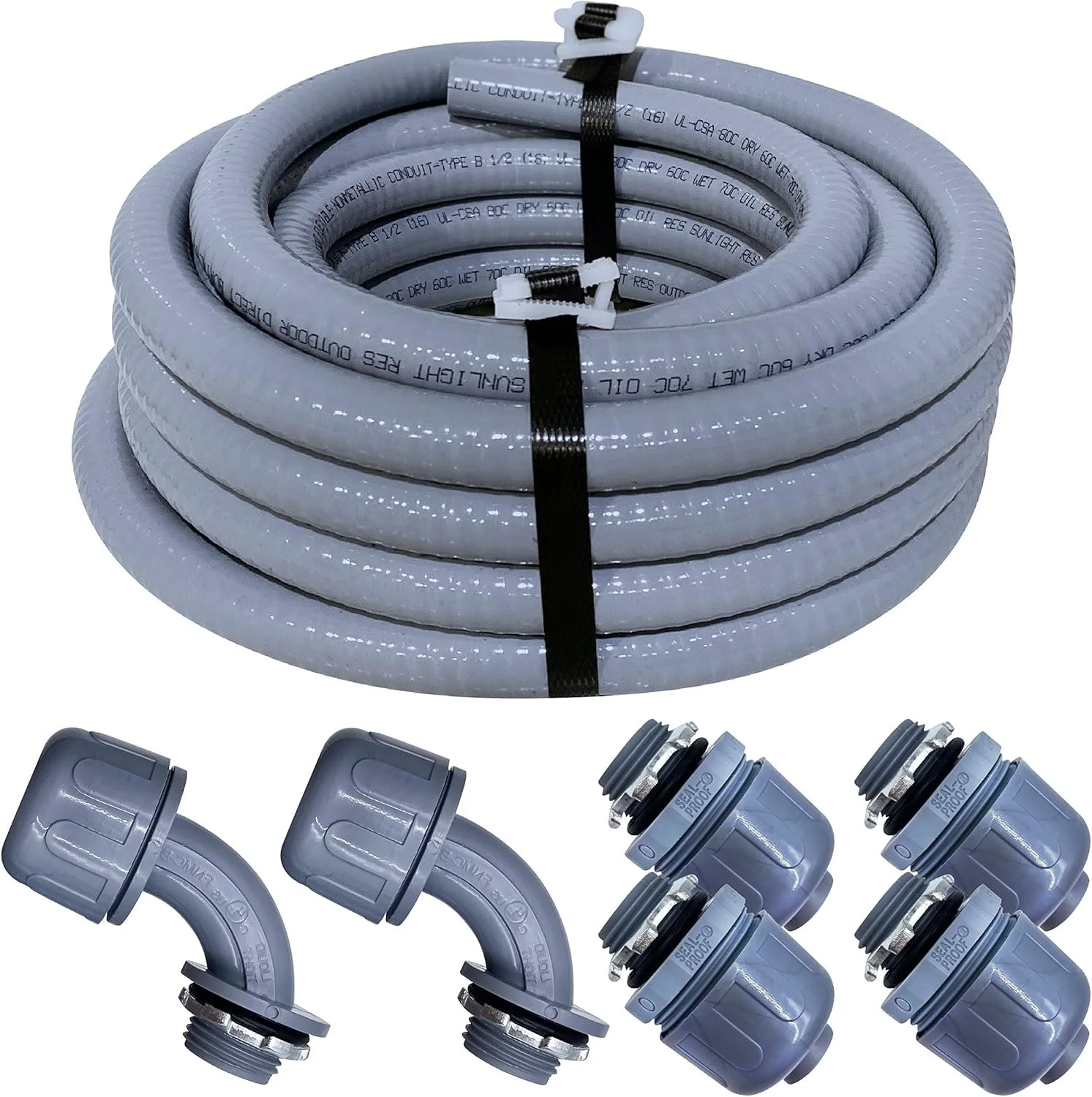
In-Wall Rated Conduit (1.5" Minimum)
A code-compliant way to run non-rated cable inside walls • Must be at least 1.5" diameter to accommodate the OneConnect cable head • Available at electrical supply stores — this Amazon option may work well
View on AmazonGo Wireless: Consider the Samsung Frame Pro
If the idea of hiring an electrician or cutting into your walls feels like too much, the Samsung Frame Pro solves the problem entirely. The Frame Pro's OneConnect Box is wireless — meaning you only need a single standard power outlet behind the TV itself, and the OneConnect box can be located anywhere within wireless range: a nearby cabinet, a closet, wherever makes sense for your space.
This dramatically simplifies the install. As long as you already have a recessed power outlet installed behind where the TV will hang, you're in great shape — no conduit, no in-wall cable runs, no electrician needed for the OneConnect side of things. The wireless connection is reliable and carries the full signal without any perceptible quality loss.
The tradeoff is cost — the Frame Pro is priced at a premium over the standard Frame. But for many customers, the installation savings and simplicity more than make up for it.
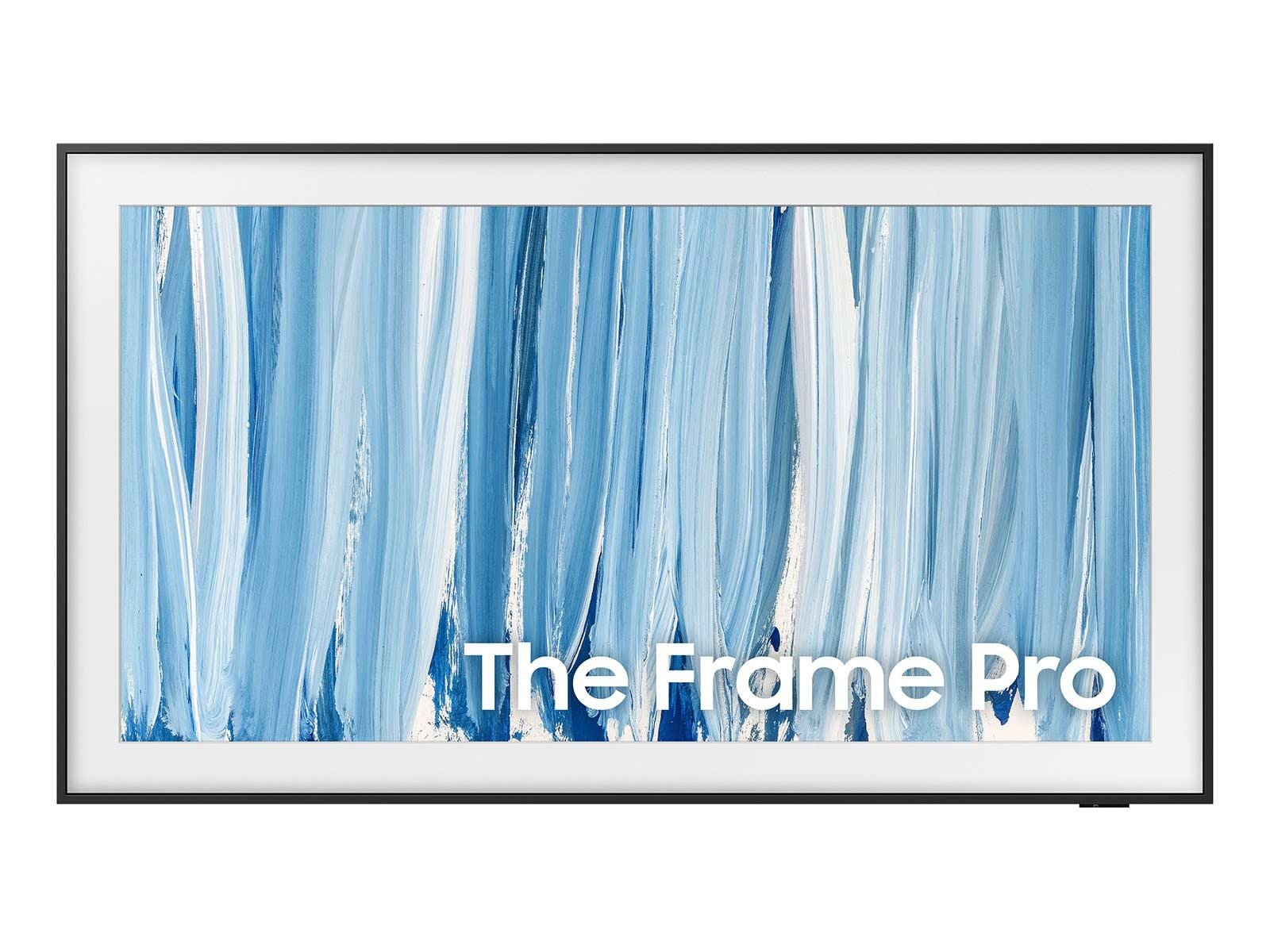
Samsung The Frame Pro 65" (Wireless OneConnect)
OLED or QLED panel • Wireless OneConnect • Only needs a standard outlet behind the TV • Simplest install path • Amazon typically has best pricing
View on Amazon
Samsung The Frame 65" (Standard / Wired OneConnect)
4K QLED panel • Wired OneConnect box • Excellent picture quality • More install planning required • More affordable than the Pro
View on AmazonThe Frame TV comes with its own slim wall mount — it hangs almost exactly like a picture frame with just a few screws. The mount pattern is small enough that hitting a stud can be tricky, but the TV is light enough that quality drywall anchors handle it well. The key is getting the TV perfectly level and as close to zero-gap as possible — that's what sells the illusion.
Don't Forget the Bezel — But Choose Wisely

A quality custom bezel transforms the Frame TV from "nice TV" to true wall art.
The Frame TV ships with a basic dark grey bezel that looks fine — but adding a custom bezel is what really sells the picture frame aesthetic. Samsung and third-party makers offer options in wood tones, metals, and decorative finishes that snap directly onto the TV and genuinely transform how it looks on the wall.
One thing we always flag to customers: some of the thicker, more substantial custom bezels can partially cover the Frame TV's light sensor. This sensor is how the TV detects the ambient light in the room and automatically transitions between Art Mode and active TV mode, and adjusts brightness accordingly. If the sensor is obscured, the TV may not switch modes as intended, and the picture calibration may be affected. Thicker custom bezels look incredible — just go in knowing this tradeoff exists.
If seamless sensor functionality matters to you, a slimmer profile bezel is the safer choice. It's less dramatic but works exactly as Samsung intended.
Bezel Tip If you're debating between a premium custom bezel and a standard one, ask yourself how you'll primarily use the Frame. If it's mostly in Art Mode as a display piece and you want it to look stunning, go premium. If you watch TV frequently and want the auto-brightness and mode-switching to work flawlessly, stick with a slimmer option.
Premium Custom Bezel for Samsung Frame
Substantial, high-quality finish • Looks stunning in Art Mode • Note: thicker profile may partially cover the light sensor • Best for display-focused installs
View on Amazon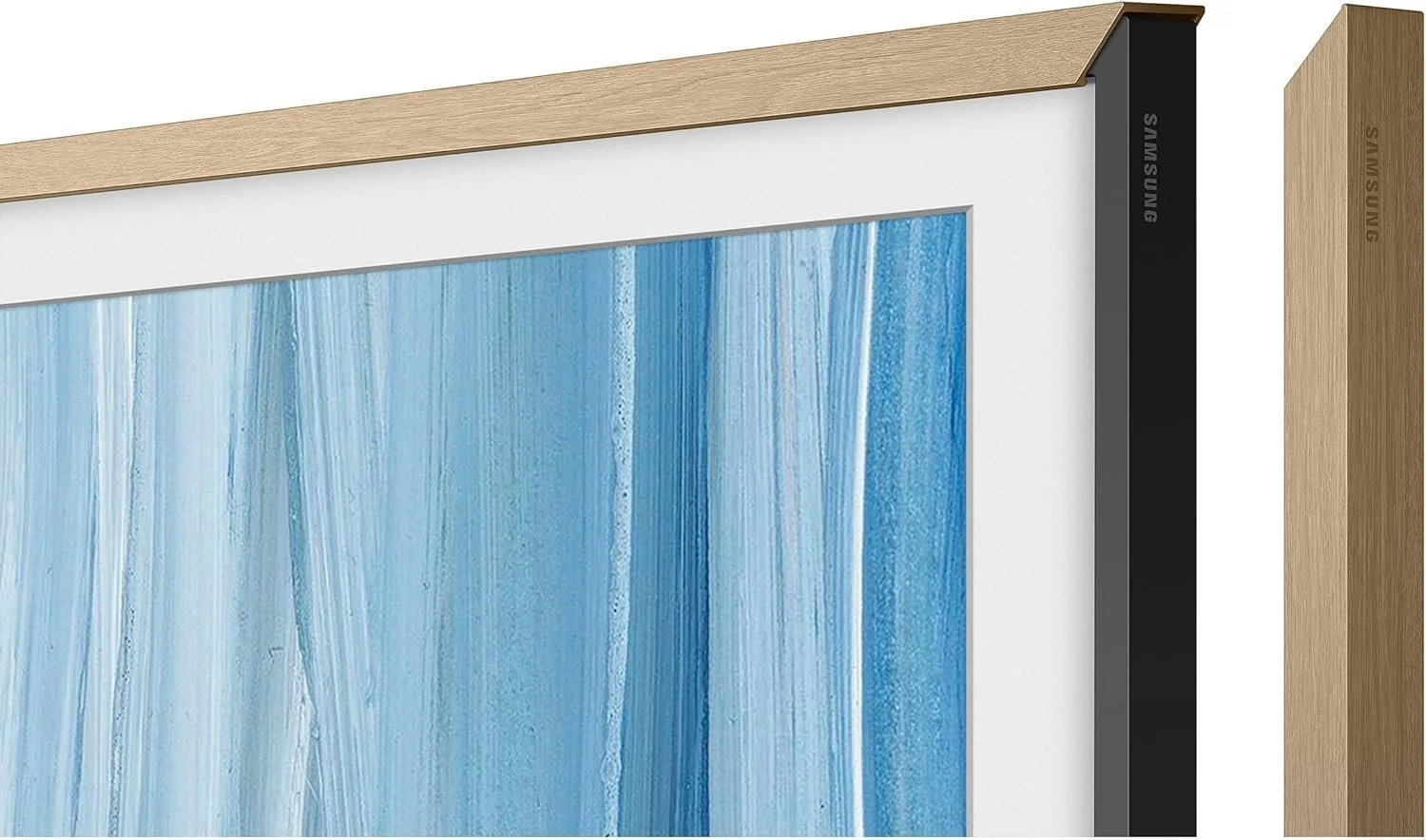
Standard Slim Bezel for Samsung Frame
Slim profile • Won't obstruct the light sensor • Auto brightness and Art Mode switching work as intended • More affordable
View on AmazonArt Mode & the Samsung Art Store
One of the most underrated features of the Frame TV is Art Mode. When the TV detects you've left the room (via the built-in motion sensor), it automatically transitions to displaying artwork — and the matte finish on the screen makes it look remarkably like a real canvas. The Samsung Art Store offers a subscription (around $5/month) with thousands of curated works from major museums and artists around the world. You can also load your own photos via USB onto the OneConnect box and display those instead.
The motion sensor and ambient light sensor work together to dim or brighten the artwork to match the room's lighting — so at night it looks just as convincing as during the day. It's one of those features that sounds like a gimmick until you live with it for a week.
Want Us to Handle the Whole Thing?
If you're in Greater Boston, the North Shore, MetroWest, or surrounding communities, we can design, source, and install your Frame TV system — from the in-wall Versabox and outlet to the bezel and Art Mode setup. We've done 50+ of these and have every detail dialed in.
Get a Free Consultation →Shop Everything on Amazon
All the products mentioned in this post — vetted and linked for easy ordering.
Affiliate Disclosure: Some links in this post are affiliate links. If you purchase through these links, TV Install Pros may earn a small commission at no additional cost to you. We only recommend products we use and trust in our own installations.